 Yusral
Signature
Your own signature below your emails to customers.
Go to Profile > Signature. Your signature goes below every message you send to a customer from a case.
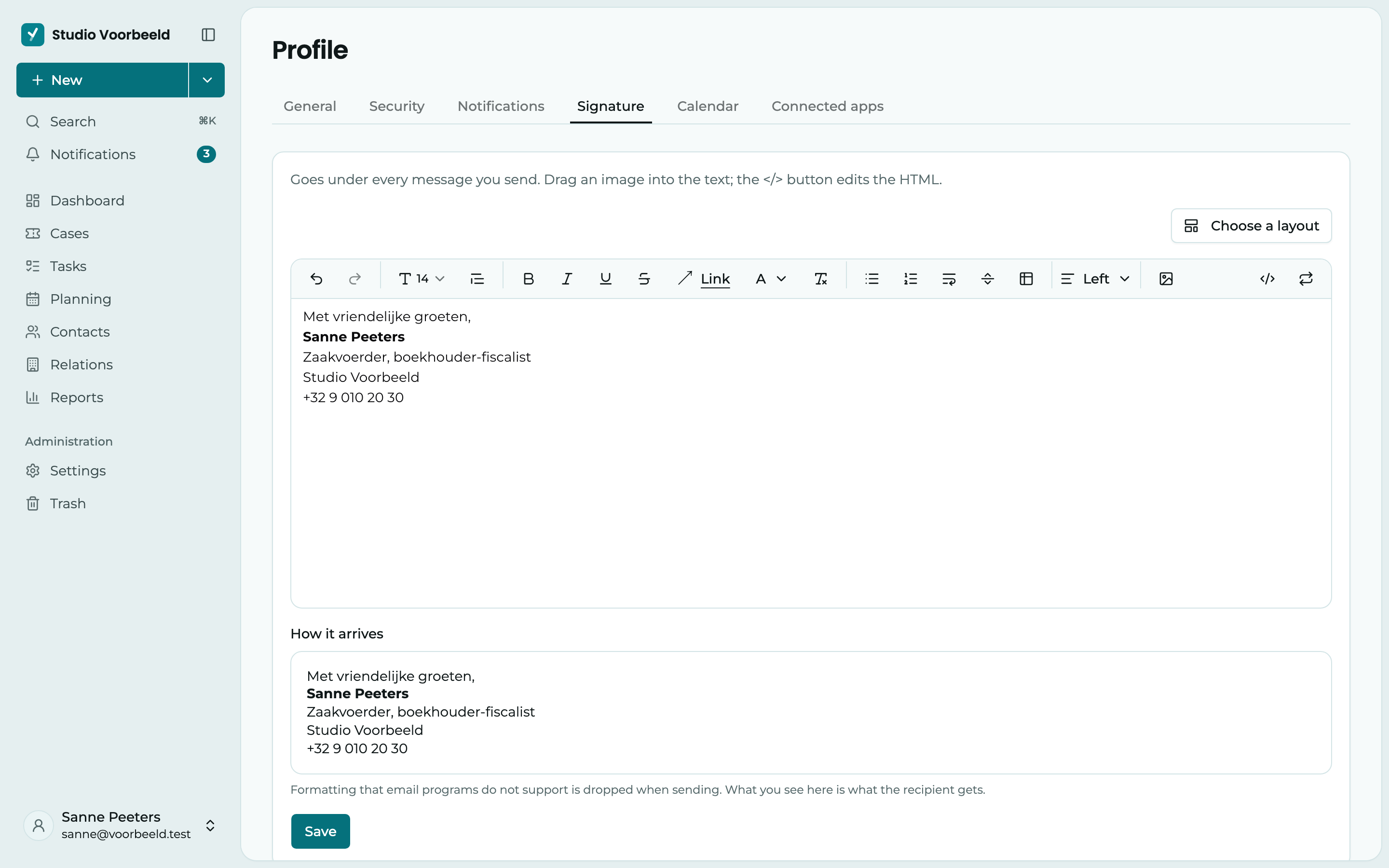
Create a signature
There are two ways:
- Write it yourself in the editor, with formatting and links. Drag an image into the text to add it. The
</>button lets you edit the HTML, handy if you want to bring over a signature from another email program. - Have it built for you: click Choose a layout. In Build a signature, you fill in your details, such as Name, Job title, Phone and Closing. Then choose a Layout and an Accent colour, and click Put in the editor. After that, you adjust the signature further in the editor.
When building, your organisation's name and, if your organisation has one, its logo are already filled in. If you want a different logo, click Change next to Logo and fill in a Logo URL. Use the organisation logo puts your organisation's logo back. As long as a field is empty, the layout previews show sample details. The light grey text in an empty field is only an example, not a filled-in value.
Under How it arrives, you see what your signature looks like in your customer's mailbox. Formatting that email programs don't support is dropped when sending. In dark mode, the editor and the preview sit on a white sheet, because an email is laid out for a white background.
Click Save when you are happy with it.
Test your signature
Want to see how your signature arrives in your own email program, Outlook for example? Click Send test email. You get an email with your signature at your own address, built like a real reply to a customer. This also works before you save, so you can test first and save afterwards. The test email only goes to you.
No signature below your emails?
Then your organisation has chosen one of these settings:
- Email signatures are off. The Signature tab then says Email signatures are switched off and you can't set anything up.
- The Organisation signature is on. Everyone then sends email with the same signature, and your own signature is not used.
Your administrator changes this under Settings > Organisation, in the Email card. See Organisation.