 Yusral
Trash
Restore deleted or merged cases, relations and contacts, or delete them permanently.
If you delete a case, relation or contact, it is not gone straight away. It goes to the trash, and you can restore it from there. Yusral says so when you delete: moves to the trash and can be restored from there.
In the menu, under Administration, click Trash. You only see it if your role is allowed to view the trash, see Who can do what?.
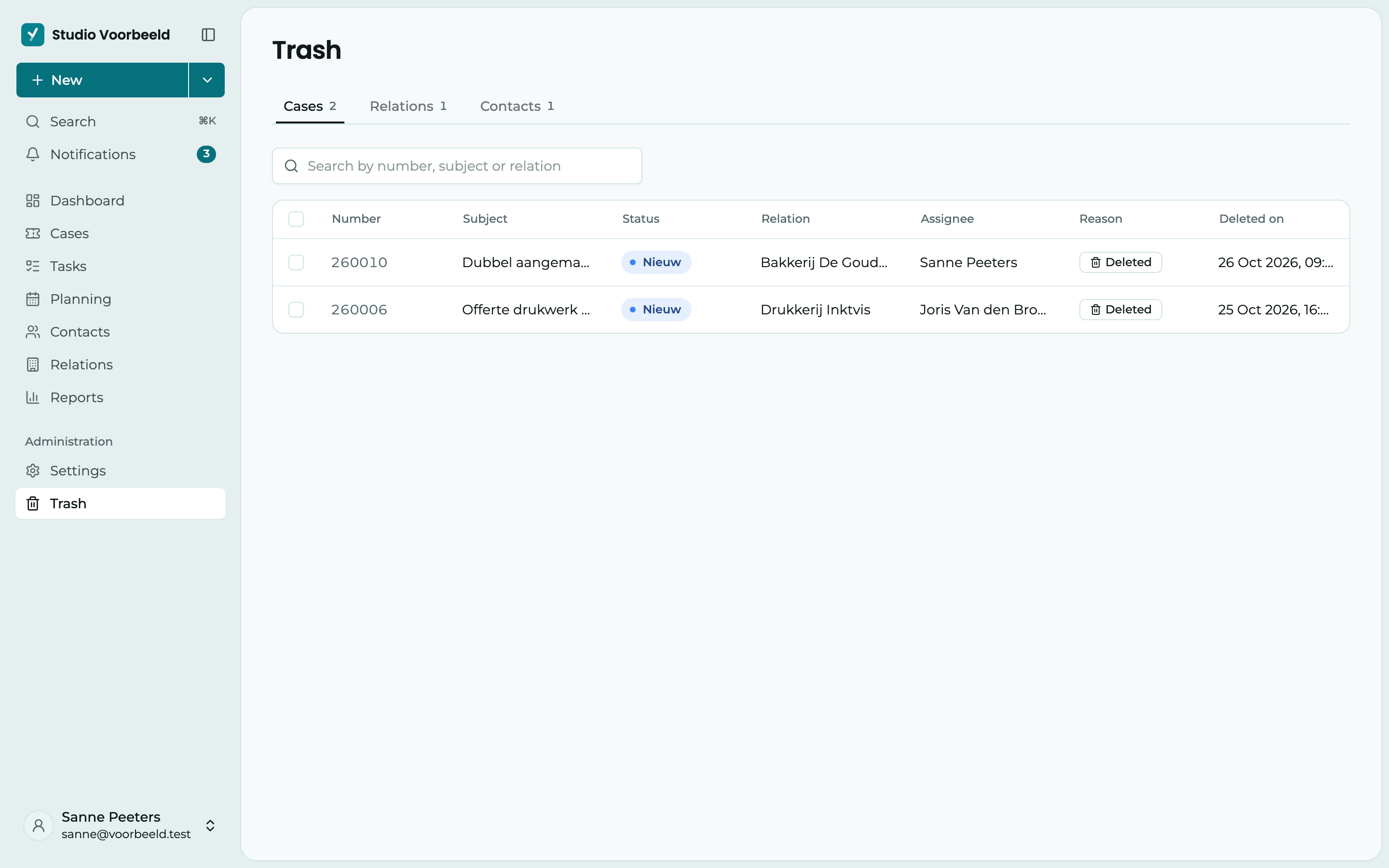
There are three tabs: Cases, Relations and Contacts. Next to each tab is how many are in the trash. Each tab has its own search field:
- for cases, you search by number, subject or relation;
- for relations, by name, email or customer number;
- for contacts, by name or email.
For cases, you also see who the Assignee was, why the case is in the trash (Reason: Deleted, or Merged with another case) and when it was deleted. Click a column heading to sort. If the list is long, you page to the next page at the bottom.
Restore
Tick what you want back and click Restore. Confirm with Restore. It comes back in the overview, with everything that belongs to it.
A merged case gets its own messages, notes and tasks back when you restore it.
You can't restore a relation if another relation with the same name exists in the meantime. Yusral then tells you which one. Rename that other relation first.
If you open a case, relation or contact that is in the trash through a link, you see that at the top, with Go to trash. If you create a new relation with the name of a relation in the trash, Yusral suggests restoring that one.
Delete permanently
Tick what can go and click Delete permanently.
This can't be undone
A case you delete permanently disappears with all its messages, notes and attachments, including the files themselves. We can't get them back either.
You can't permanently delete a relation or contact that cases still refer to. Unlink those cases first, or delete them permanently first.
The trash doesn't empty itself. What is in it stays until someone restores it or deletes it permanently.
What doesn't go to the trash?
Not everything goes to the trash. You can't restore these things after deleting them:
- a task;
- a note in a case;
- a document or attachment.
Who can do what?
| Role | View | Restore | Delete permanently |
|---|---|---|---|
| Owner and Admin | ✓ | ✓ | ✓ |
| Manager | ✓ | ✓ | |
| Member and Viewer |
With a custom role, you choose yourself who can view, restore or empty the trash.