 Yusral
Your data
Request an export of all your data, delete your organisation, and how long we keep what.
Your data is yours. Under Settings > Data, you request a full copy, or delete your organisation.
Request an export
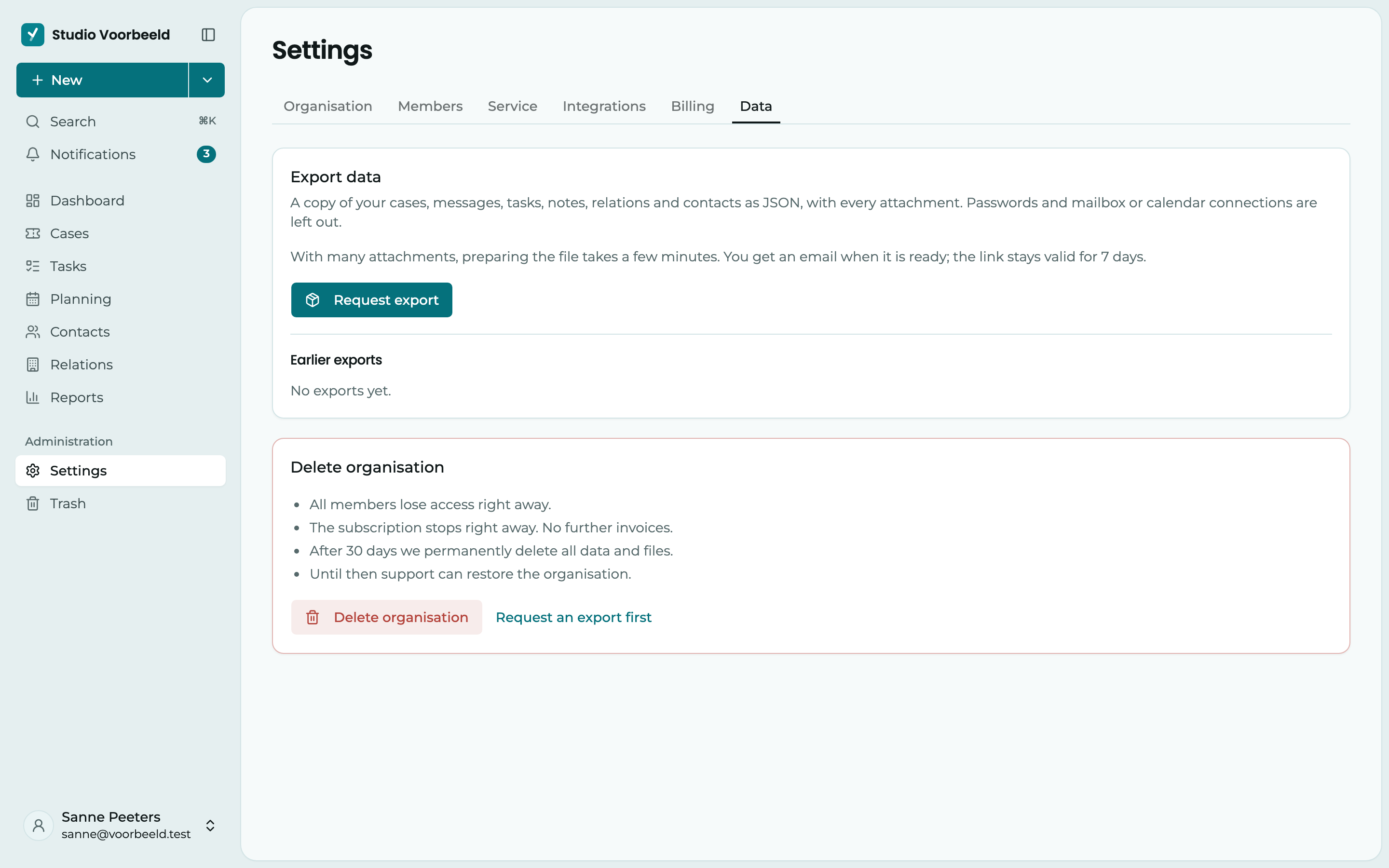
Under Export data, click Request export.
- The export contains your cases, messages, tasks, notes, relations and contacts as JSON, with all the attachments. Passwords and connections to your mailbox or calendar are not included.
- With a lot of attachments, preparing it takes a few minutes. You get an email as soon as the file is ready.
- The download link stays valid for 7 days.
- All your exports are under Earlier exports, with their status: Queued, Running, Ready, Expired or Failed. You fetch a ready export with Download.
JSON is a common format that other software can read. If you move to another package, their support can usually use your export.
Delete your organisation
At the bottom of Data is Delete organisation. This is the only place where you can do this, and only the owner can. Other administrators see Only the owner can delete the organisation.
Request an export first
If you want to keep your data, first click Request an export first. You then land at Export data. Wait until the export is ready and download it. After deleting, you can no longer get to it.
Confirm with the name
Click Delete organisation and type your organisation's name exactly, with capitals. Only then can you click Delete permanently.
What happens then:
- All members lose access straight away. Anyone who opens Yusral sees that the organisation has been deleted.
- The subscription stops straight away. No more invoices follow.
- The owner and the admins get an email with the date on which everything will be erased.
- After 30 days, we permanently erase all data and files.
Deleted by accident?
Email us at service@yusral.com before the date in that email. Until then, support can restore your organisation, with everything in it. You then start your subscription again.
How long we keep what
- Your cases, relations and contacts stay as long as your organisation exists. What you delete goes to the trash first.
- After you cancel, or when a payment is still open after the 7 extra days, we keep everything for another 90 days. A week before the end, you get an email, so you can still make an export. After that, there are another 30 days until everything is erased. See Cancel and If a payment fails.
- Without a subscription: if you never choose a plan, we keep the organisation for 90 days after it was created, with the same email a week ahead and another 30 days after that.
- You always get an email at least a week before the deletion.
- Email logs, the technical details about sent and received email, are kept for 30 days. The emails in your cases stay.
- AI is off by default. If you turn it on, the text is processed by Mistral in the EU and not stored there. See AI assistance.
You can read more about how we handle personal data in the privacy statement. Questions? Email service@yusral.com.